Rapport Zen — Intervention Reporting Platform
About Rapport Zen
A heating engineer finishes servicing a boiler in a French apartment block. Before leaving, they have to write an intervention report—the legal and commercial record of what was done, which equipment was touched, what was measured, which parts were replaced, and a signature from both the engineer and the customer. For most small trade companies, that record is still a carbon-copy pad in the van, photographed and sent over a messaging app at night, then re-typed into a Word file at the kitchen table after 7 p.m.
Rapport Zen is a French SaaS that replaces that paper pad. It is built for HVAC, electrical, and plumbing tradespeople (artisans): the engineer fills the report on a tablet on-site, the customer signs on the screen, and a branded PDF is generated and emailed to the customer and the back office within seconds, with a full audit trail and the regulatory fields each trade requires.
Rapport Zen is built for the field. The people using it are not office workers, the work happens in boiler rooms and on rooftops, and connectivity is never guaranteed. Those constraints drove every technical decision, including the choice of SurveyJS as the form engine at the core of the product.
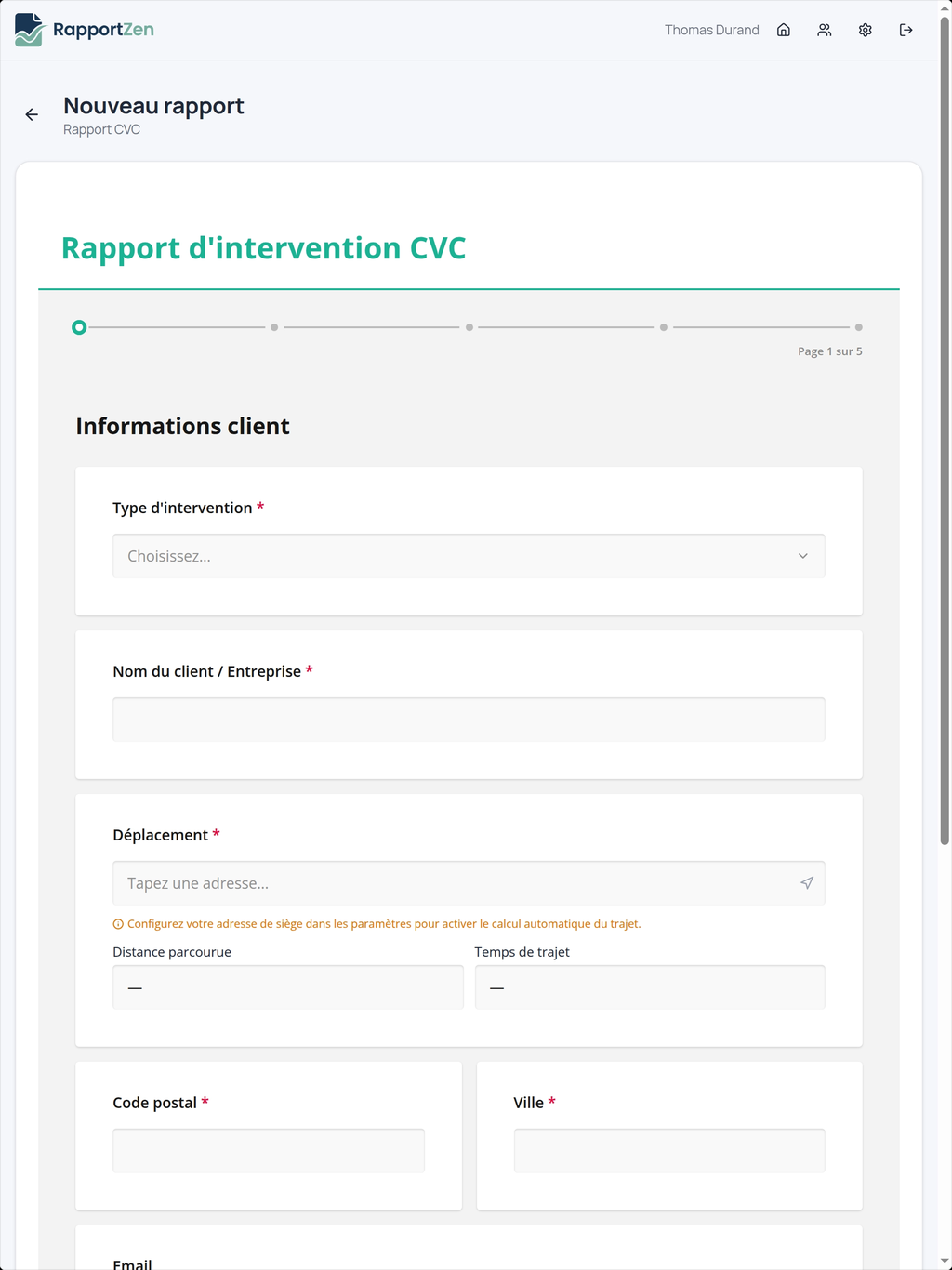
The Application: Trade Reports That Each Company Configures Itself
Every trade has its own report. A heating/cooling maintenance report needs refrigerant type, high and low pressures, and refrigerant-handling compliance fields. An electrical report needs measurements tied to the French NF C 15-100 standard. A plumbing report needs piping, materials, and water-pressure readings. On top of that, every company wants its own logo, its own wording, and often its own checklist.
Rapport Zen ships a library of ready-made trade templates (HVAC, Electrical, Plumbing, and a generic Standard) and lets each company adapt them, or build their own from scratch, without writing a single line of code.
Each template is organized as a multi-page form:
- Client – Customer details and site information
- Equipment – Serviced devices and technical specifications
- Intervention – Work performed, measurements, and actions taken
- Observations – Notes, recommendations, and follow-up items
- Signatures – Engineer and customer approval
The same template, once published, is what the engineer fills in the field. That single form has to render fast on a tablet, work with no signal, capture two handwritten signatures, let the engineer log any number of equipment items, and pre-fill everything it possibly can. SurveyJS powers all of it: both the visual builder the company owner uses and the form the engineer fills on-site.
Why We Chose SurveyJS
We needed a form platform that met three non-negotiable requirements:
- A fully JSON-based schema that could be stored, versioned, and rendered across platforms
- Extensibility for custom field types and workflows, including equipment selectors and address pickers
- Both a runtime form engine and a visual form builder available out of the box
SurveyJS was the only solution that covered all three. Below is how each capability maps to a real problem on the ground.
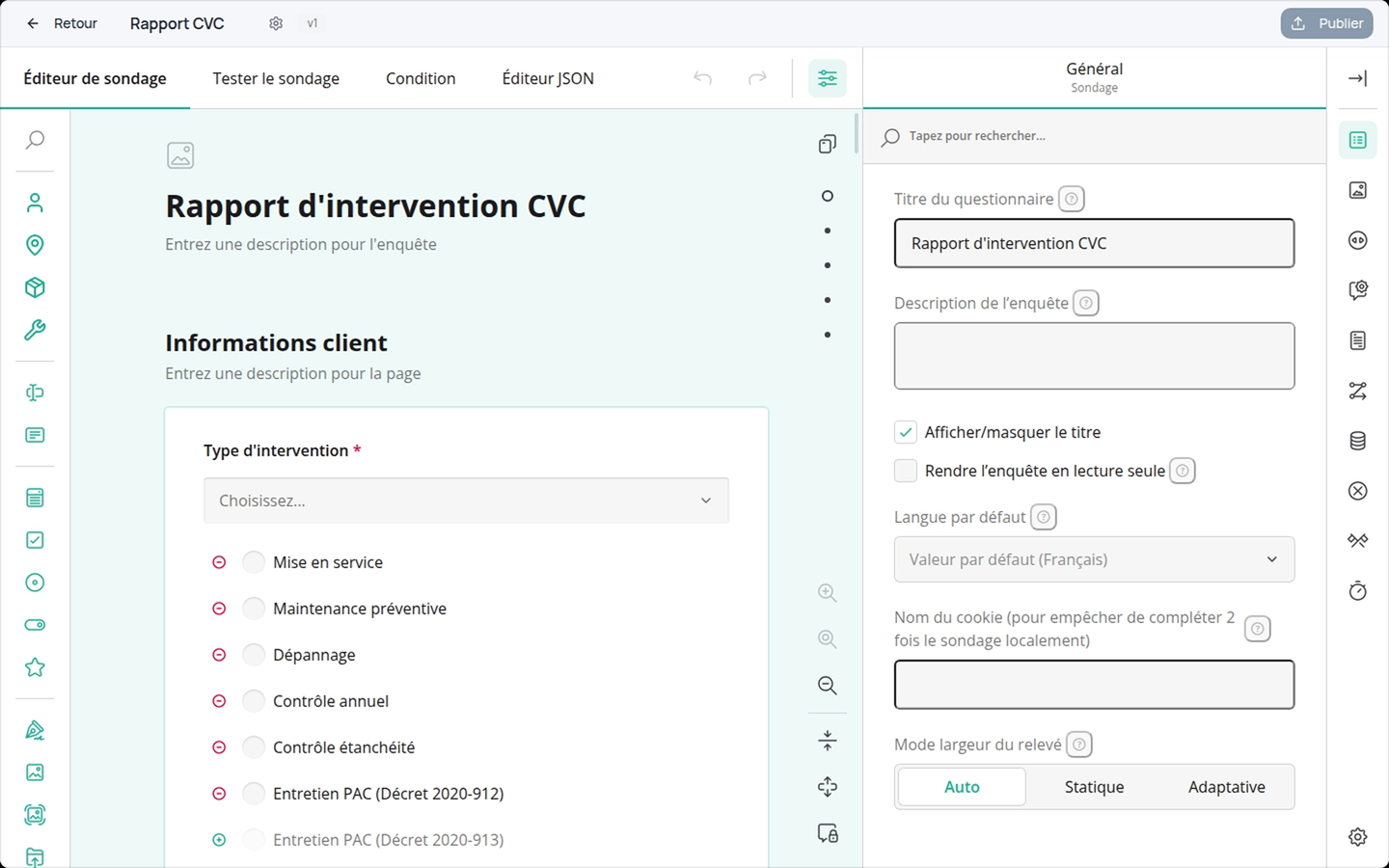
A visual form builder, so non-technical users can edit their reports
The company owner is an artisan, not a developer, and needs to be able to add a field or reorder a page without involving us.
We embedded SurveyJS Creator directly in the app as the Rapport Zen form builder. Owners create a template from scratch, duplicate an existing one, or start from a guided structure, then drag and drop questions and publish, entirely in the browser. Drafts auto-save every 30 seconds, and publishing is a separate, deliberate step, so an in-progress edit never reaches an engineer mid-shift.
In practice, this workflow has held up under real usage. Our launch customer created five report templates in Creator and iterated them through 57 published revisions (including one template edited 26 times), without writing any code or requiring support from us.
Repeatable panels, so one visit can cover one unit or fifteen
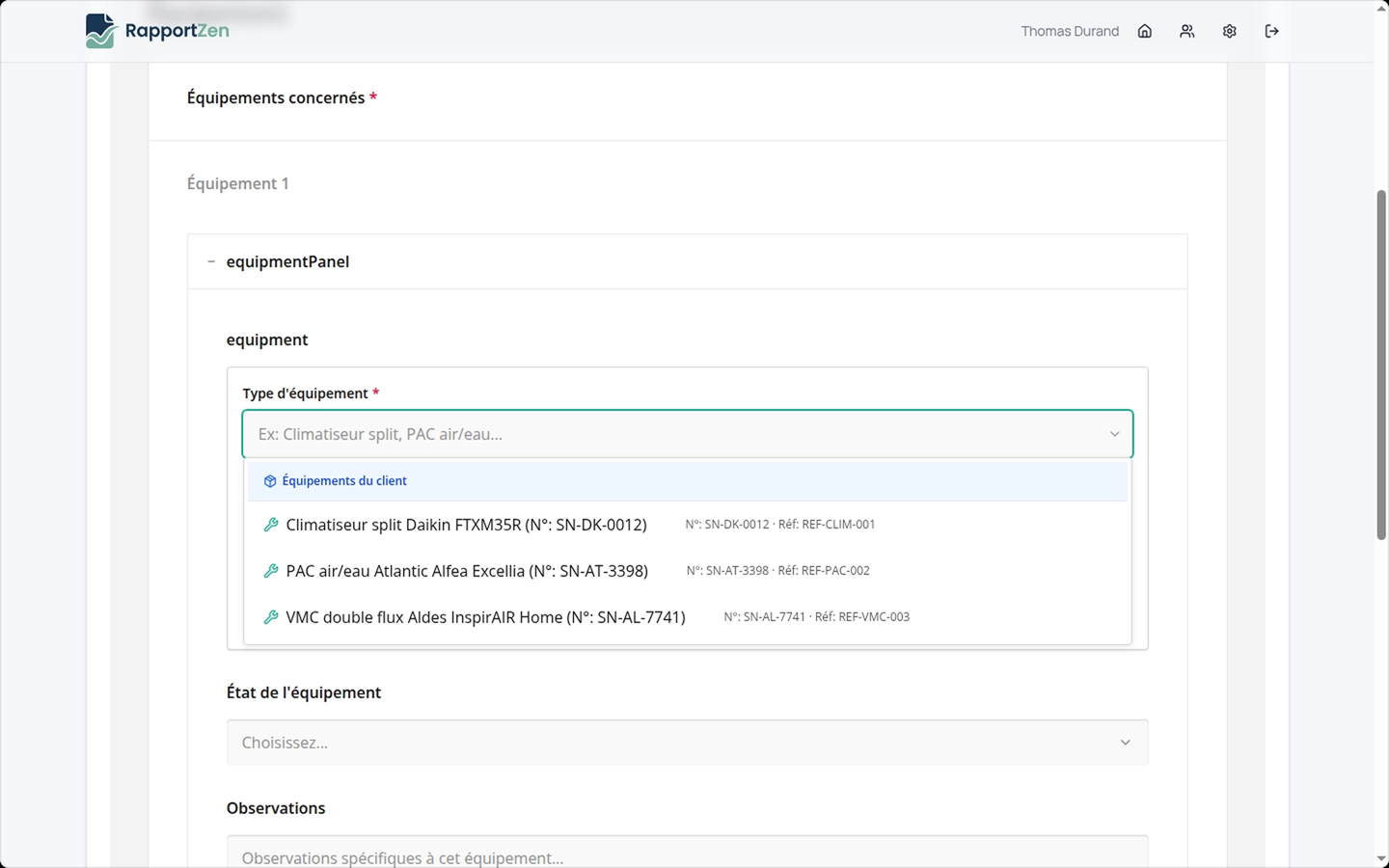
A single site visit might involve one rooftop unit or a dozen. We use the SurveyJS Dynamic Panel for the equipment section: the engineer taps "Add equipment" as many times as needed, and each panel repeats the same questions (brand, model, serial number, measurements).
Replaced parts work the same way. No fixed number of rows, no custom code—the schema describes the repeating block once, and SurveyJS handles the rest.
Conditional fields, so the form stays short and relevant
Reports must not drown the engineer in irrelevant questions. Using SurveyJS conditional visibility, refrigerant fields only appear for cooling equipment, and compliance sections only show when the type of intervention requires them. The engineer sees only what applies to the job in front of them, which keeps a regulated report fast to complete.
Custom field types, so the engineer barely types
This is where SurveyJS extensibility paid off most. We built our own SurveyJS question types for the things specific to field work, and they behave like native questions inside any template:
Client picker
Start typing a customer name and the form pulls the address, phone, and email from the company client database, filling the hidden address fields automatically.Equipment picker
Select from the company equipment catalog or the customer service history, and the form autofills brand, model, and serial number, with free-text fallback for anything new.
Because these are real SurveyJS question types, they slot into any template the owner builds and inherit the same validation and data binding. Pre-filling alone saves the engineer a couple of minutes on every single report.
On-screen signatures, so a signed report is one clean record
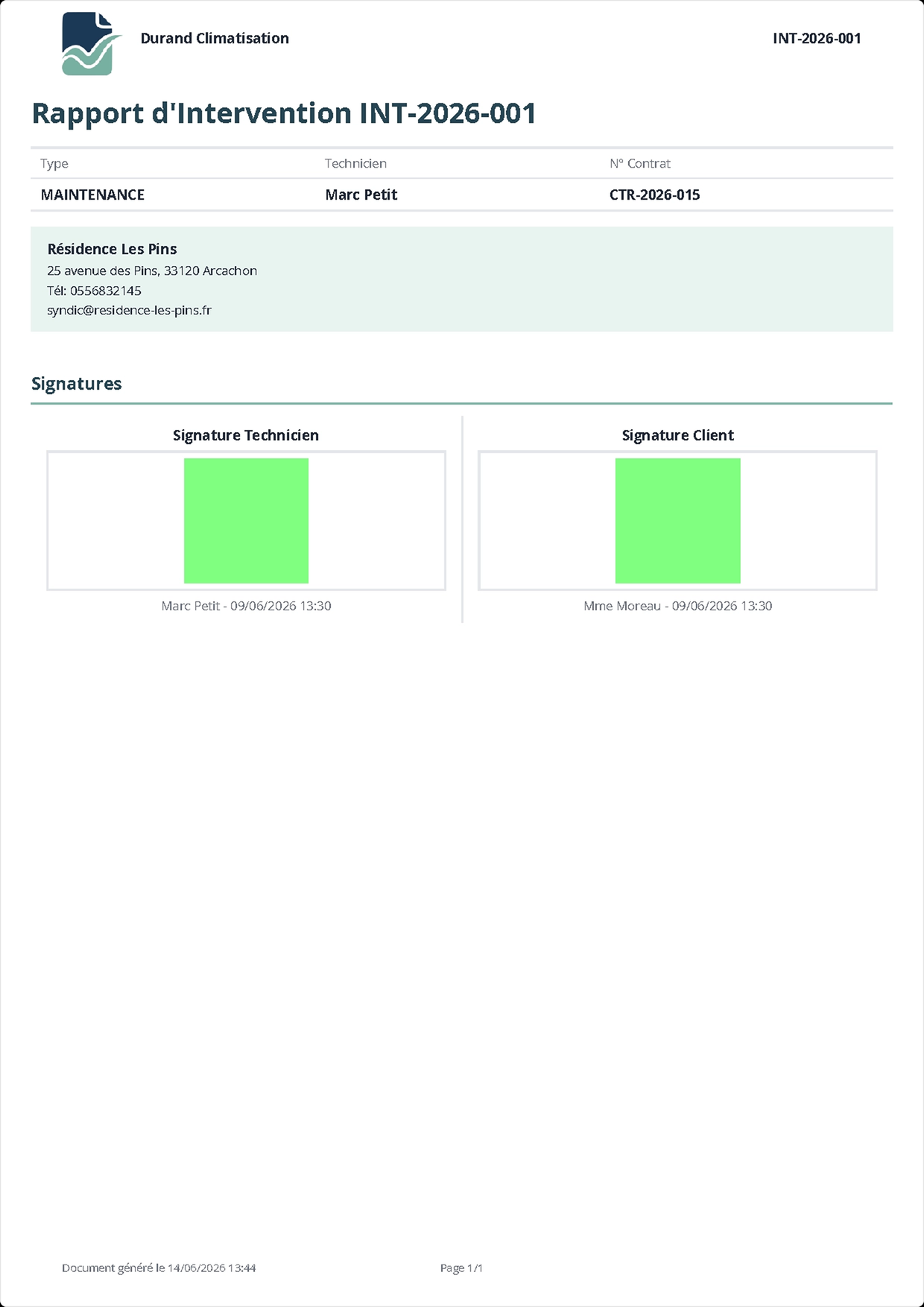
A report is only valid once it is signed. We use the native SurveyJS Signature question for both signatures: the engineer signs first, then hands the tablet to the customer, who signs on the screen.
The signature is part of the form data, not a separate step, so a complete, signed report is a single object. What used to be a multi-minute paper-and-scan routine becomes about twenty seconds, on-site, done.
Works offline, because the field demands it
Boiler rooms and basements have no signal. SurveyJS holds the entire form state in memory and binds cleanly to localStorage, so the engineer fills and signs the report with no network at all; everything syncs when connectivity returns. No lost work, no starting over because the app could not reach a server.
Validation on both sides, because the document is legally meaningful
SurveyJS enforces required fields and validators in the browser, blocking completion when something mandatory is missing and showing the engineer exactly what. We re-check the same rules on the server before a report can be marked complete, so the data behind a signed, legally meaningful document is never half-empty.
Schema versioning: Old reports never break
Because every template is a SurveyJS JSON schema, we store and version it like any other data. Each company template lives in one record, and every time the owner publishes, we freeze an immutable, numbered version.
A report created last year keeps rendering against the exact schema it was built with, even after the owner has reworked the template five times since. A customer reopening an old signed report always sees it intact: same fields, same signatures, same layout.
This guarantee is only possible because the form is a portable JSON object, not hand-coded a UI layer.
From filled form to branded PDF
The deliverable our customers actually send is the PDF, so we keep full control of how it is built. We map the SurveyJS response into our own PDF layer (using pdfmake) to get pixel-level control over branding, layout, and the regulatory formatting each trade requires (such as the refrigerant-handling documentation HVAC work needs under EU regulation 517/2014).
This is the one part of the stack outside SurveyJS, and it works precisely because SurveyJS hands us clean, fully structured data: the schema tells us what every field means, and the response gives us the values and signature images. A messy form layer would have made this step fragile; instead the mapping is straightforward and reliable.
Results from the Pilot
Over the first five months of the pilot (January to June 2026), our launch customer—a French industrial compressed-air and HVAC service company—generated 66 intervention reports, all signed on-site, with 63 completed with both technician and client signatures on the tablet.
In the same period, they built five their own report templates in Creator and iterated through 57 published revisions, without writing code or asking us to change anything.
That level of self-service usage is the metric we care about most, and SurveyJS is what makes it possible.
SurveyJS Products Used
- SurveyJS Form Library – Runtime rendering, conditional logic, dynamic panels, signature capture, and data binding for every report filled in the field.
- SurveyJS Creator – The in-app visual form builder company owners use to create and adapt their own trade templates.
Experience Working with SurveyJS
SurveyJS let us ship a serious product far faster than we could have any other way.
Our customers are tradespeople, not software users, so the form has to be flawless on a tablet, work with no signal, and capture a legally valid signature. The Form Library gave us all of that, and embedding Creator means company owners adapt their own reports without ever talking to us.
The fact that everything is a JSON schema is what makes our versioning, our custom equipment pickers, and our PDF generation possible. We extended SurveyJS with our own question types, and it never fought us.
Working with the team behind it was just as easy: responsive, straightforward, and helpful right through the licensing conversation, which made committing to SurveyJS a simple decision.
It is the engine our whole product is built on.